Forecast, Simulate, Save: CloudBalance AWS Commitment Planning
Model AWS Savings Plans (SPs) & Reserved Instances (RIs) with realistic projections, accurate discounts, and fast what‑if scenarios.
TL;DR — Turn AWS commitments into dependable savings. CloudBalance replaces spreadsheets and guesswork with data-driven forecasts, instant scenarios, and clear metrics so you can commit with confidence.
- Forecast from reality: 12-month projection from your actual raw spend with quick overrides.
- Size the right mix: Model/renew Compute & EC2 SPs, EC2/RDS RIs to target ~100% utilization and maximize savings.
- Decide with clarity: Month-by-month Coverage %, Discount %, and Utilization %; compare & save scenarios.
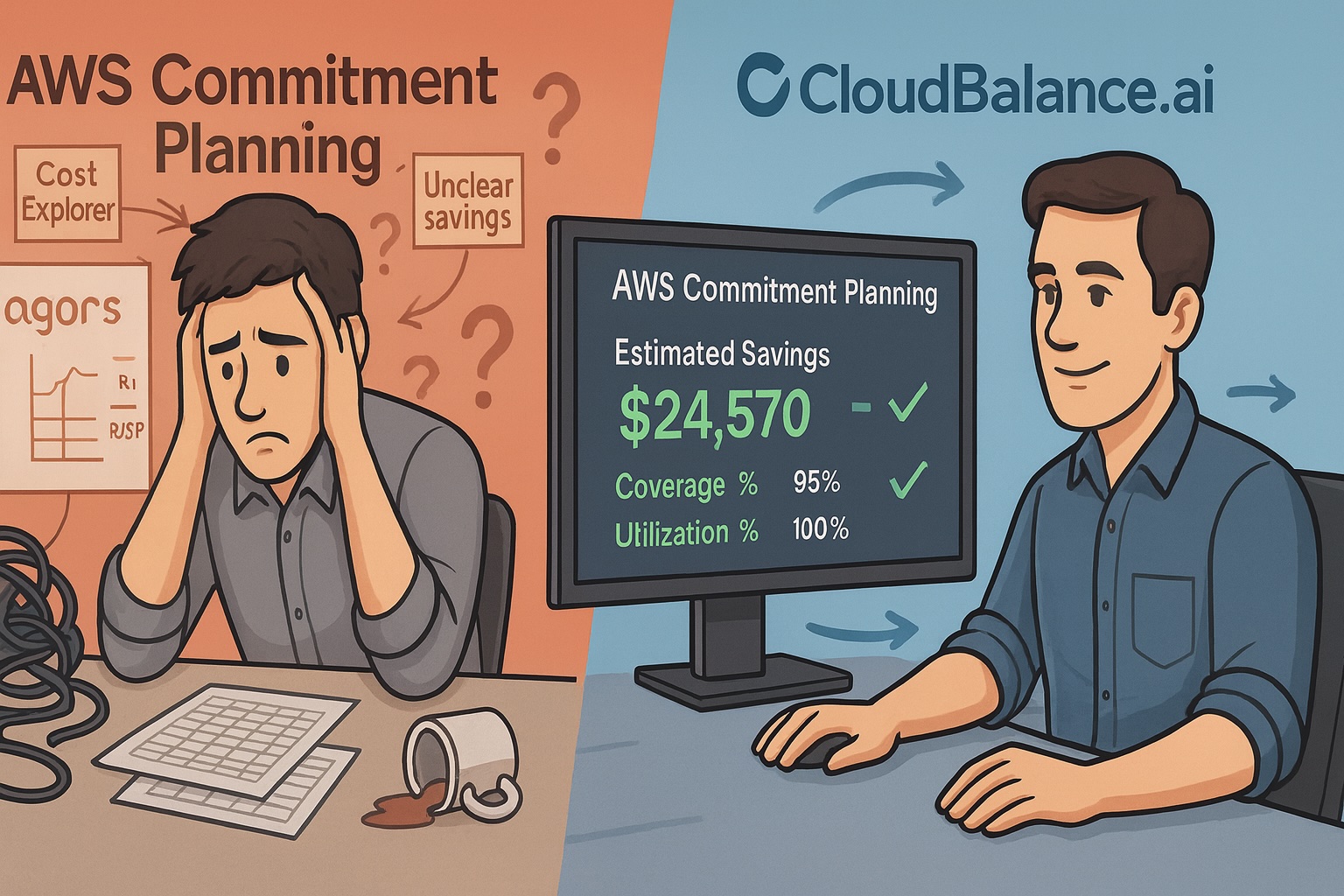
CloudBalance’s Solution to the AWS Commitment Planning Challenge
| Challenge | CloudBalance Solution |
|---|---|
| Estimating future usage: Forecasting usage 12-36 months ahead is uncertain, requiring time-consuming scenario planning. | Smart and flexible forecast: Project the next 12 months using your actual Raw (pre‑discount) compute spend and past trends. Quickly test high/low usage scenarios with percentage or monthly overrides. |
| Estimating discounts, coverage & utilization: SP/RI discounts vary by type and terms; getting to a realistic estimate takes hours. | Automatically calculate key metrics for each scenario. Automatic inclusion of active SPs/RIs; month-by-month coverage %, discount %, and utilization %. |
| Navigating plan types & options: Determining the optimal combination of Plan Types and Terms requires careful balancing savings vs. over-commitment risks. | Model any mix: Any SP/RI with term, payment option, region/family/type, and quantity. |
| Scenario explosion: Small changes (plan type, family, region, term) multiply into dozens of permutations. | What‑if scenarios, instantly: Compare scenarios to maximize savings and visualize impact across coverage, discount, and utilization. |
| Capitalizing on AWS insights: Excellent recommendations exist—but weaving them into your overall plan requires analysis. | One‑click “AWS recommended SP/RI”: Include AWS‑suggested SP/RI candidates directly into scenarios to test. |
| Acting on the analysis: Excellent recommendations exist—but weaving them into your overall plan requires analysis. | Save & share scenarios: Capture decisions for review and use as a detailed purchase guide in the AWS Console. |
CloudBalance Commitment Planning — Customer Example
Let’s walk through a customer scenario to illustrate how the Commitment Planning dashboard is used in practice. We’ll demonstrate the features and charts included in the Commitment Planning dashboard as we go along.
Understand the Baseline — how will current commitments perform over the next 12 months?
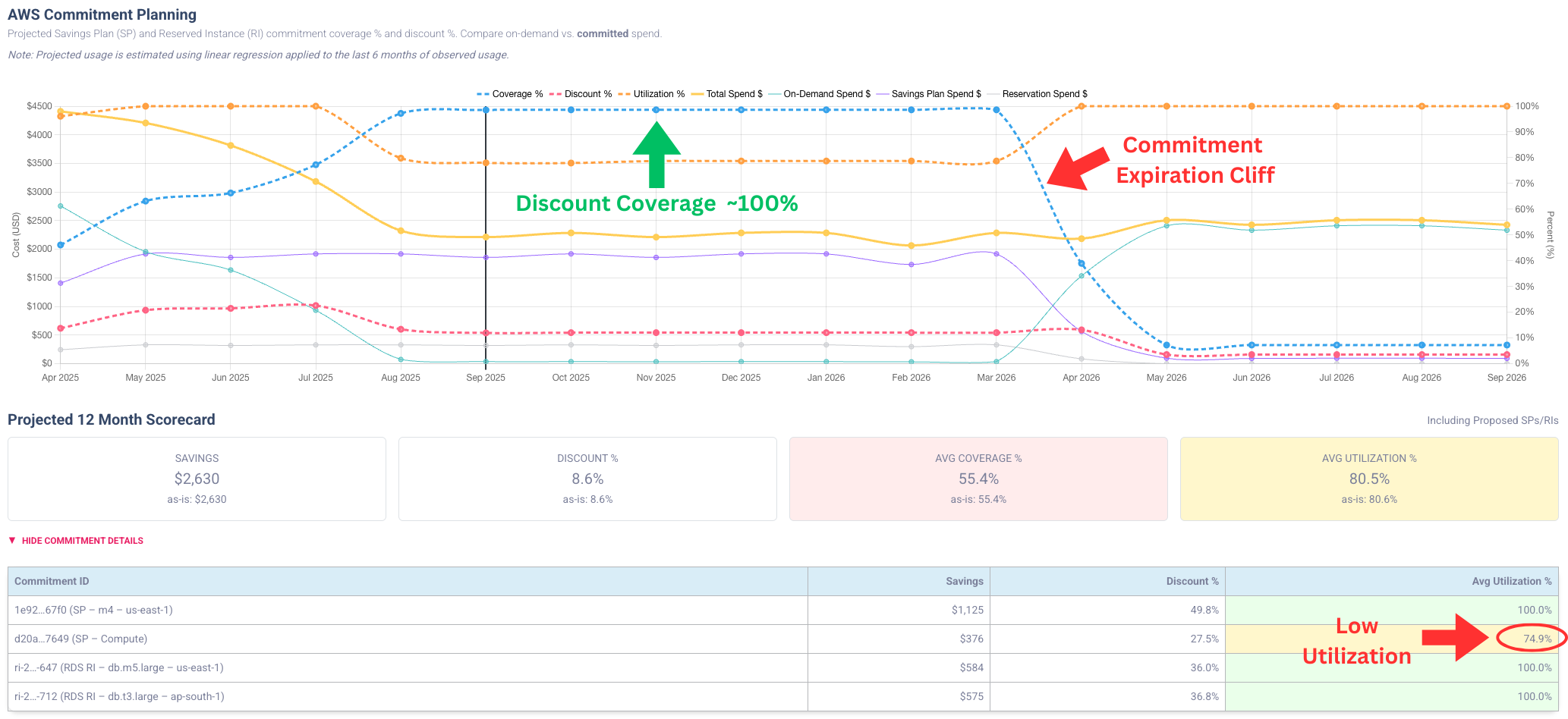
The AWS Commitment Planning chart provides key insights:
- Nearly 100% commitment coverage and total spend decreased dramatically in recent months. ✅ Great!
- A commitment expiration cliff in April 2026 --> 🚫 opportunity for improvement.
- The scorecard shows utilization < 100% --> 🚫 opportunity for improvement.
- In commitment details, the Compute SP utilization is 74.9%, indicating the commitment is too high at projected usage levels.
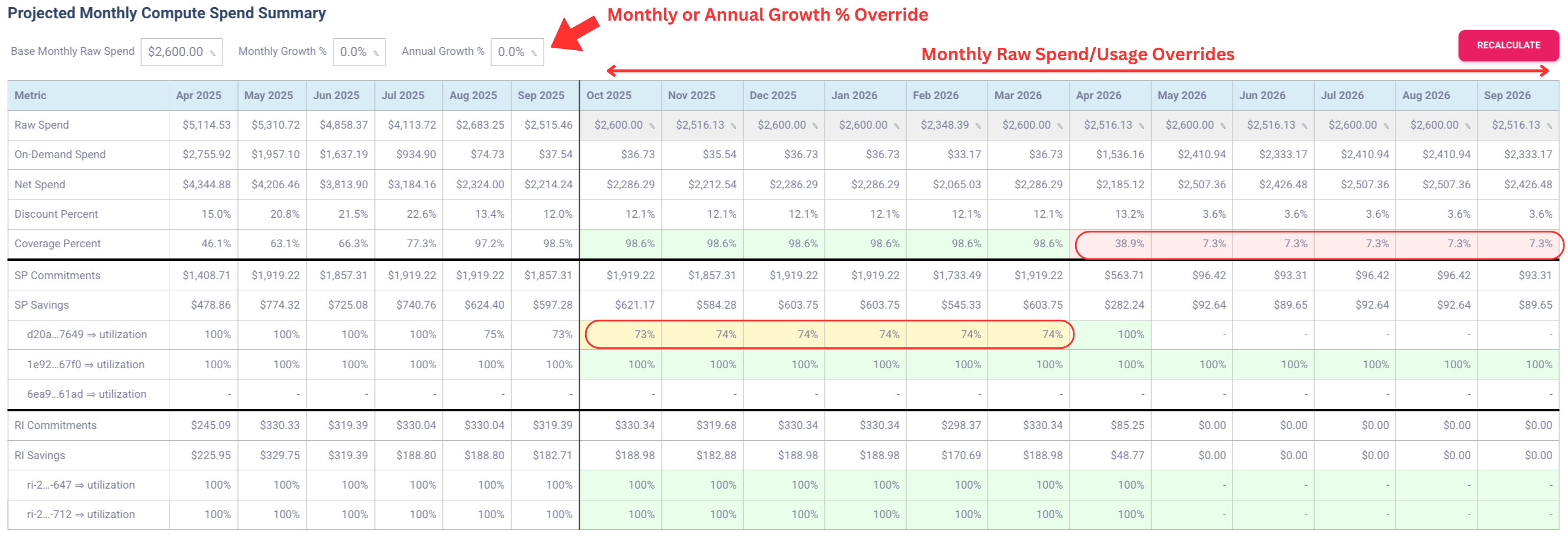
Next, review the numbers in the Projected Monthly Compute Spend — Summary. The table confirms the low utilization for the Compute SP and a coverage drop beginning in April 2026. At the top of the table we can override monthly or annual growth percentages or adjust individual months; hitting the "Recalculate" button updates all charts immediately.
Review coverage details — any short‑term savings?
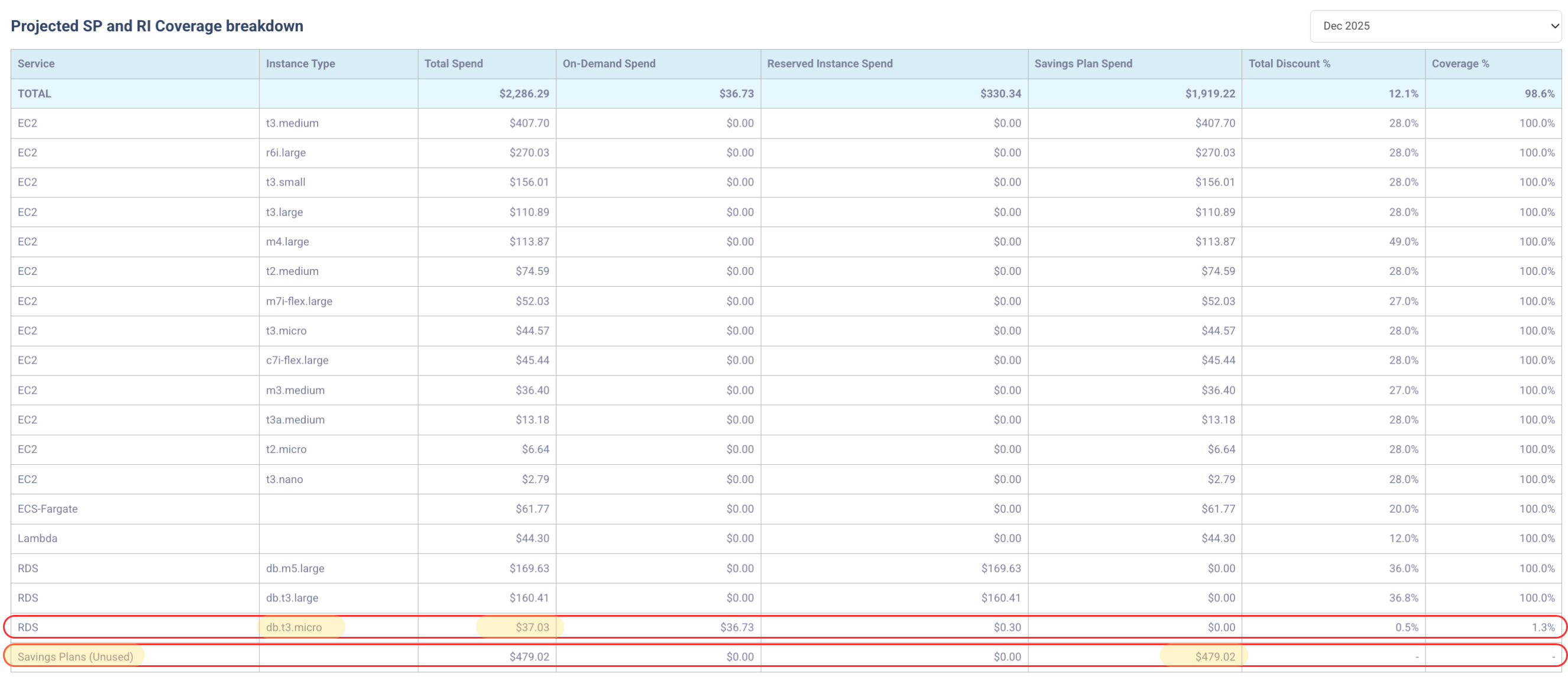
In the Projected SP and RI Coverage Breakdown, everything is covered except the RDS db.t3.micro instance class --> 🚫 Opportunity for improvement. The Savings Plan shows $480.93/month unused, which correlates with the low Compute SP utilization.
Build a scenario to capitalize on the opportunities for improvement
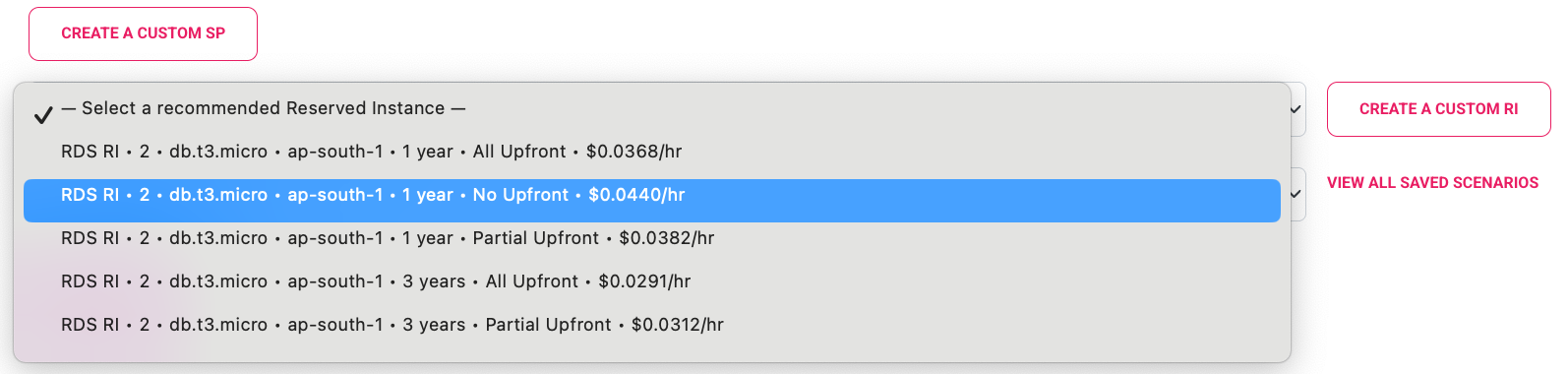
Opportunity 1: Address uncovered RDS db.t3.micro. Choose an AWS‑recommended 1‑year, no‑upfront RDS RI and add it to the scenario.
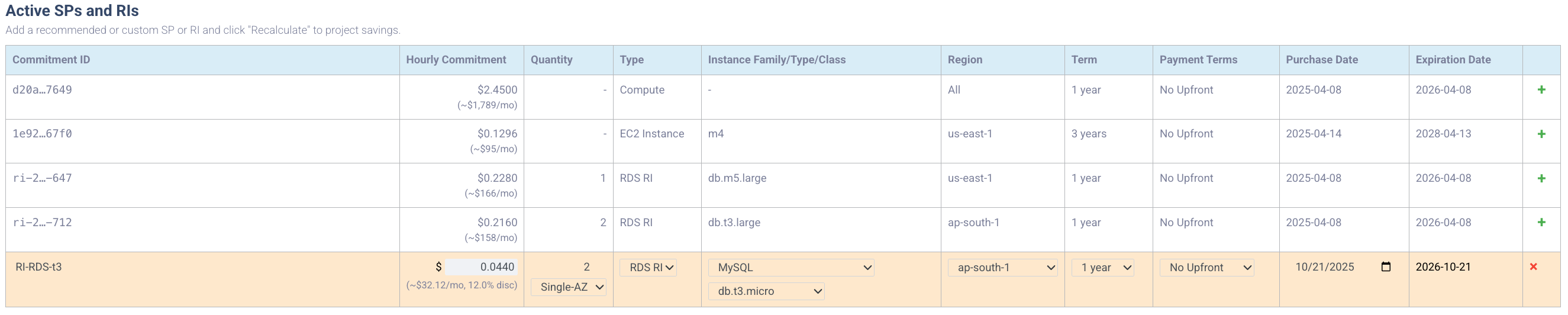
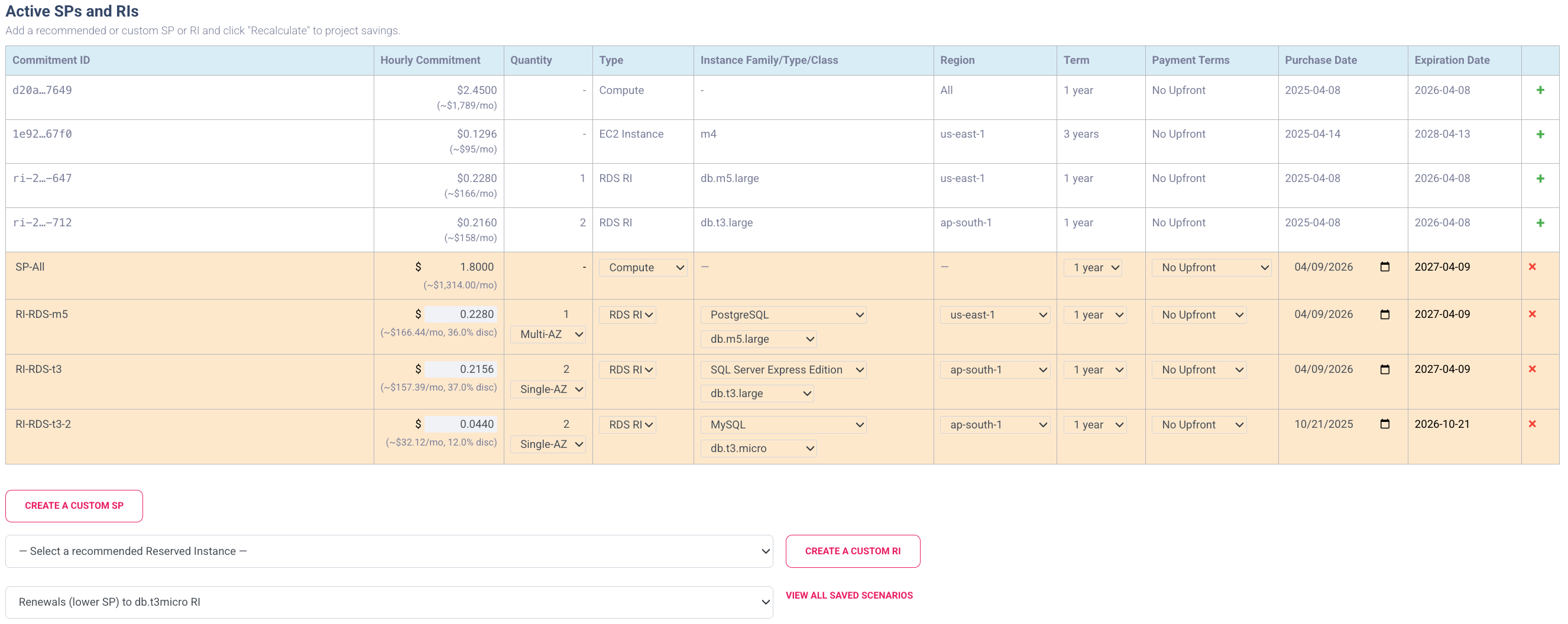
Opportunity 2: Address the commitment expiration cliff. Three of four existing commitments expire in April 2026. We can quickly add renewals for these commitments to the scenario by clicking on the + next to the active commitments in the "Active Savings Plans and Reserved Instances" table.
Opportunity 3: Address Compute SP over‑commit. For the Compute SP renewal, reduce the hourly commitment from $2.45/hour to $1.80/hour to reach ~100% utilization.
We know from Figure 2 that a commitment of $2.45/hour was only 74% utilized. So, in order to get to 100% utilization, we will calculate the commitment as 0.74 * $2.45/hour = $1.80/hour.
Recalculate & review
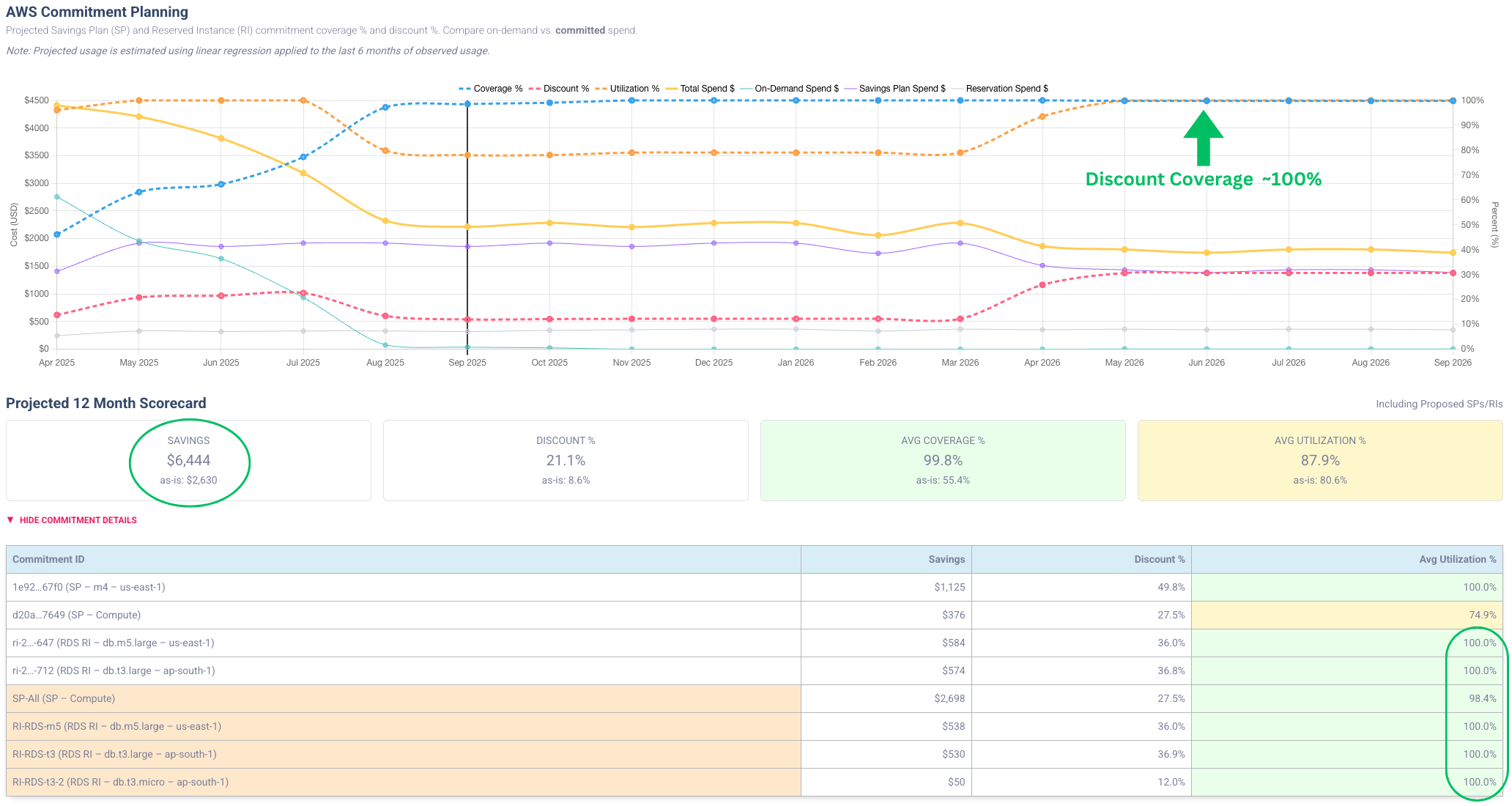
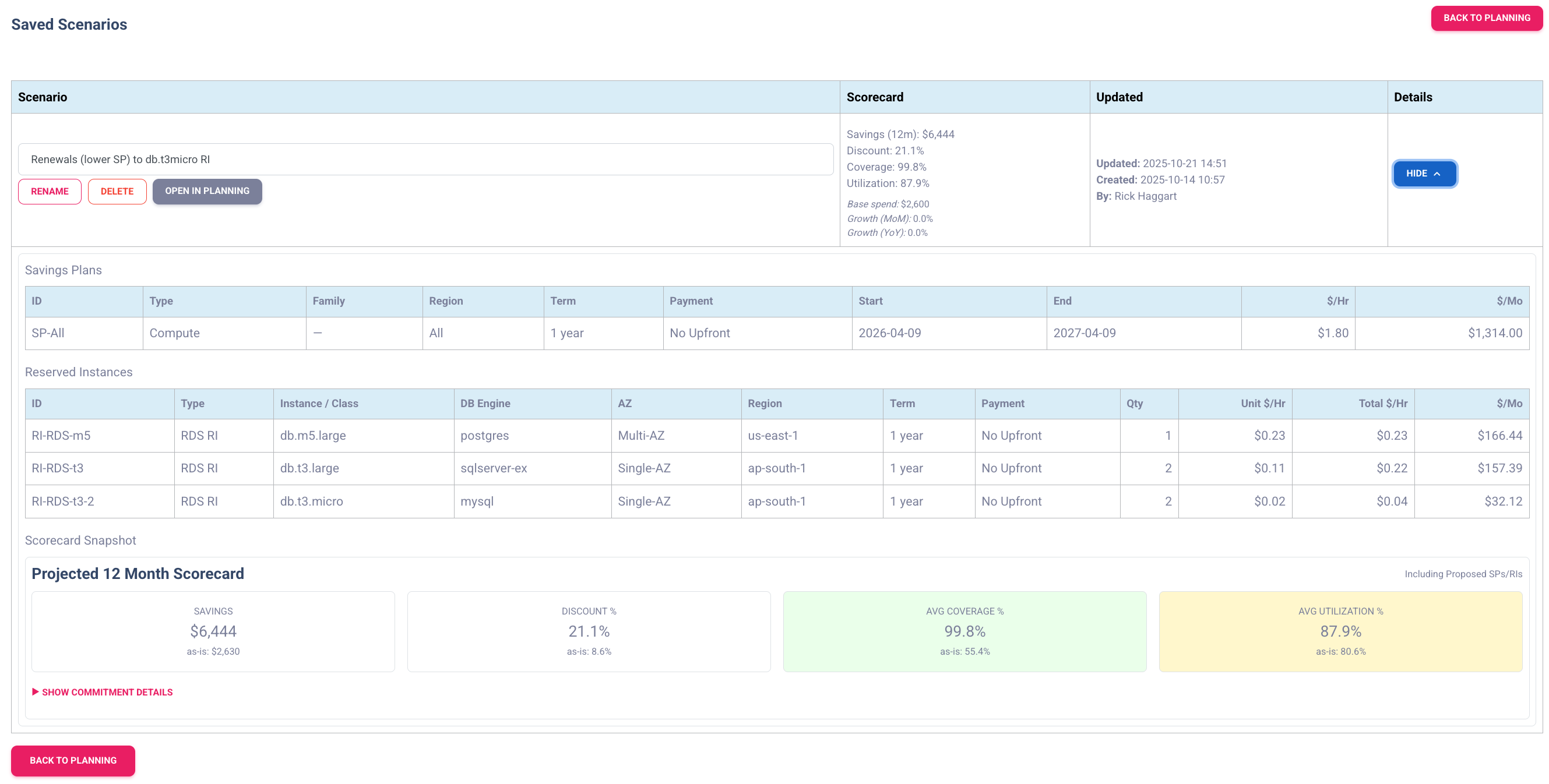
Hit Recalculate to update Savings, Coverage %, Discount %, and Utilization %. In the updated chart, the projected savings of $6,444 increased by over $3,800 and renewed Compute SP commitments reach ~100% utilization.
Test & save the scenario
- Change projected usage up/down to see impact.
- Adjust terms (duration, payment) to explore additional savings.
- Add EC2 Instance SPs or EC2 RIs for steady instance families.
- Optionally lower commitment amounts to balance savings vs. risk.
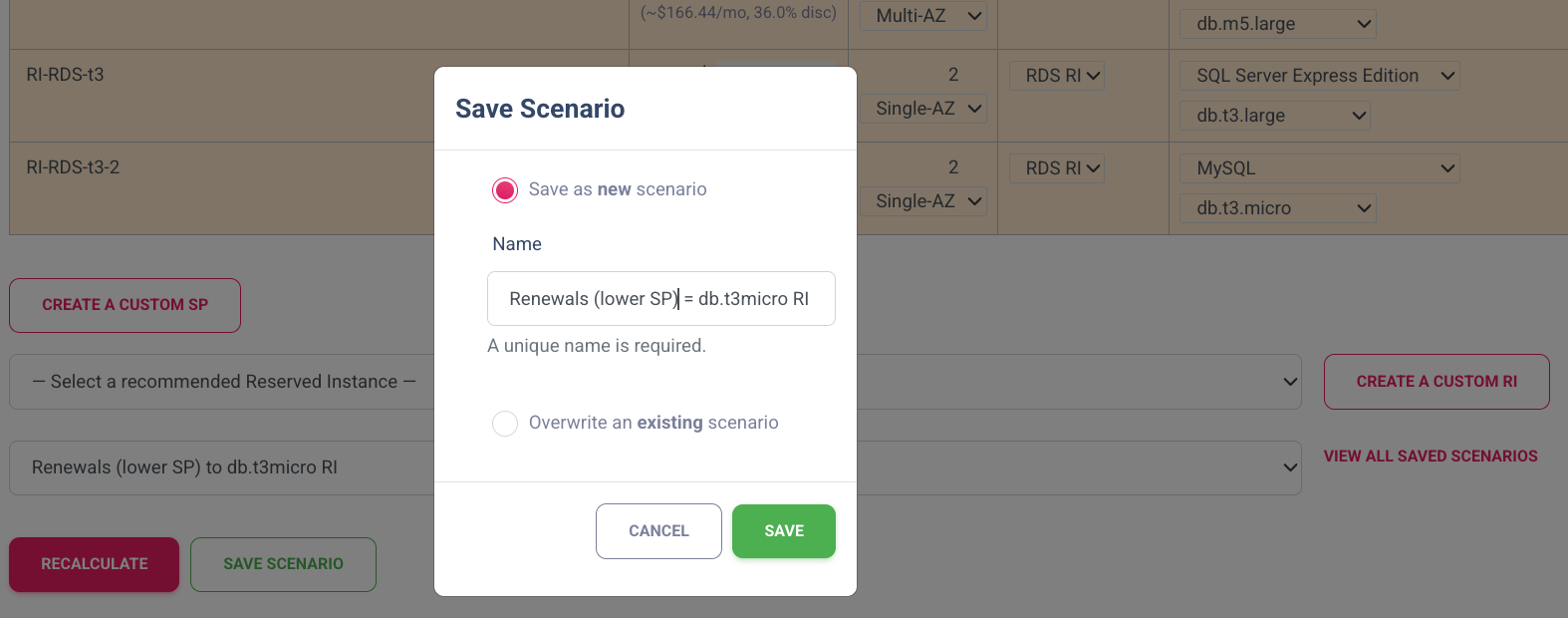
When satisfied, click Save Scenario to capture the projections and scorecard. Review or update later to reflect changes, and use it as a detailed purchase guide when ready to renew.
Workflow Summary
- Check the projected Raw Spend and apply overrides for known updates or seasonal spikes.
- Optional: add renewal of SPs/RIs expiring within the 12 months into the scenario.
- Optional: add EC2/RDS RIs for predictable workloads.
- Add EC2 Instance SPs where families/regions are predictable.
- Add a Compute SP sized to baseline usage.
- Recalculate; inspect Savings, Coverage %, Discount %, and Utilization %.
- Iterate the mix (type, amounts, terms, scope) until you reach the best balance of savings and flexibility.
- Save Scenario and, when ready, use it as your purchase guide.
Final Thoughts
AWS Commitment Planning is challenging, but CloudBalance eliminates much of the manual work and enables customers to focus on finding the right mix for their business. CloudBalance turns commitment planning into a repeatable practice to quickly converge on scenarios that maximize savings while keeping utilization high and risk low.